Grok Bot is an AI assistant with its own computer. It's made by xAI, and version 1.0 came out on 11 November 2026. You message a bot the way you'd message a colleague. The bot can browse the web, use apps, fill in forms and make bookings, even while your laptop is closed.
As of November 2026
Grok Bot is brand new and changing fast. Names, menus and what it can do were checked in November 2026. If your screen looks a little different, search Settings for the item by name. Treat it as a new tool: start small and watch the first few jobs.
Want it set up for you?
On a free 30-minute call, Megan will name your biggest time leak and give you an honest answer on whether Clockwise is the right fit. The rest of this guide is the do-it-yourself path.
Start here
Six steps to your first bot
Do these in order. Each takes a few minutes, and each ends with a link to the next one.
Step 1 of 6
Get it the safe way
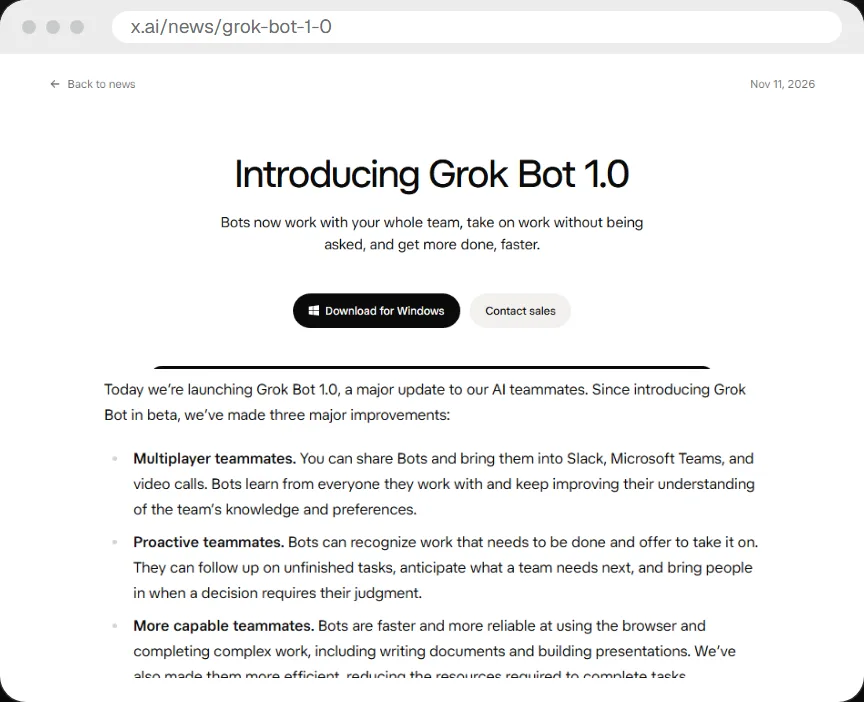
Type x.ai/bot into your browser's address bar and download from there. Don't click a Google result or an ad.
New AI tools attract look-alike sites and fake installers. As of November 2026 the download button on the announcement page says "Download for Windows". Check that page for other computers.
- If the address doesn't start with x.ai, close the tab.
- Never install from an ad, a video description or a link someone sent you.
- Grok Bot has a "Contact sales" option for teams. You don't need it to start.
Step 2 of 6
Decide your own risk line
Before you connect anything, decide what you're happy for an AI to see and what you're not.
A bot with its own computer can do whatever you can do on it. That's the whole point, and it's also why this step comes before the setup. Write your line down now, while nothing is connected.
Green: happy to share
Public websites, a gym booking account, a shopping wishlist, a shared family calendar.
Amber: think first
Work email, client files, anything with other people's details in it.
Red: keep out
Banking, government logins, medical records, and anything you couldn't explain to the person it belongs to.
Megan's own line, for example: she hasn't connected her personal email to Grok Bot, because that is where her risk level ends. Yours may be different, and that's fine. You can move it later.
Step 3 of 6
Make your first bot
A bot is a set of instructions with a name. You fill in three boxes: name, title and description.
- Name: what you call it, like Hana.
- Title: its job in a few words, like Family Manager.
- Description: exactly how you'd do the job yourself, step by step.
You can fill these in during a chat or under Settings, top right. The more specific the description, the better the bot. Describe the job the way you'd brief a new colleague, or talk it out as a voice note and paste it in. Aim for one small, repeatable job to start.
Example: a bot's three boxes
Change the details to suit your own job
Name: Rosie
Title: Gifts and occasions
Description: Keep a list of the gifts I need to buy and the dates they're needed by. Each week, check the shops on my list for sales. If something on the list is discounted, message me with the price and ask if I want you to buy it. Never buy without asking me first.
Step 4 of 6
Give it a job
There are three ways to get a bot working. Start with the first one.
Chat
Send it a message, like a text. Best for your first job.
Routines and triggers
A bot can run on a schedule, or react to something, like a new message in a Slack thread.
Other bots
Bots can message each other and ask for help. More on this at the end.
Grok Bot can also connect to your other apps, such as Gmail, Google Calendar and Google Drive. You can connect more than one account per app, like personal and work. Go back to your risk line from step 2 before you connect any of them.
Not sure if it can do something? Ask the bot. It will tell you.
Step 5 of 6
Set the rules
Write down what the bot may and may not do. You write the rules in plain English, in Settings, then General, then Agent.
If you log into a shopping site on a computer a bot can use, the bot could technically buy things, the same way you could. The rules are what stop that.
- Permissions: your plain-English rules for what's allowed.
- A reviewer: a separate AI checks each action the bot proposes. It can allow it, block it, or ask you.
- Allow and block lists: examples that steer the reviewer.
Be honest with yourself about what this is. The reviewer is an AI following your wording, so it is only as good as the rules you write. The work does happen in an isolated environment, but you are still trusting the model to follow your instructions. Start strict and loosen later.
Starter rules to paste into Settings
Settings, General, Agent. Edit to match your own risk line
Always ask me before you buy anything, send an email or message to anyone outside my household, delete anything, or share any personal detail.
Allowed without asking: searching the web, reading pages, checking prices and availability, adding events to my calendar.
Never allowed: anything to do with banking, government websites, or medical records.
If you're not sure, ask me first.
One more thing to know: if you log into a site through one bot, every other bot on your account can reach that site too. Keep that in mind when you decide what to log into.
Step 6 of 6
Log in safely with the vault
When a bot needs to log into a website, it sends you a secure form. Your password goes straight to that site and the bot never sees it.
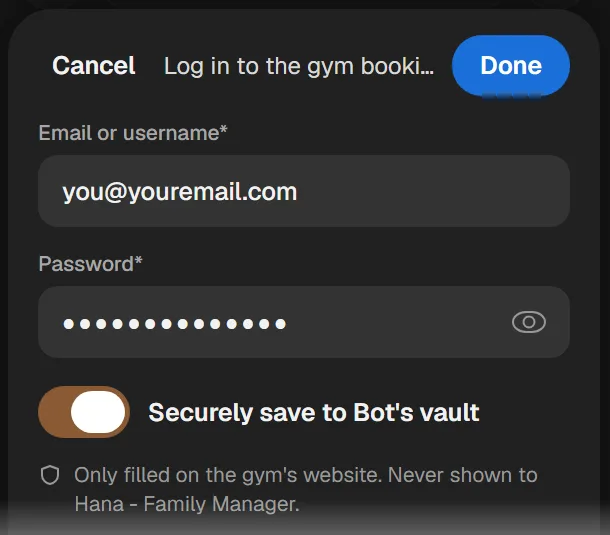
Think of the vault as a locked key box for your bots:
- You add a login once: the website, your email and your password.
- The bot uses it but never sees it. It's filled straight into the page.
- It only works on that one website. A gym login only ever goes to the gym.
- You can take it out any time, and the bot can't use it any more.
Good to know: every bot on your account can use what's in your vault. Only add logins you're comfortable with all your bots using.
Some steps need you, like a CAPTCHA or a two-step login code. The bot can hand you its desktop so you finish that step yourself.
Optional extras
When you're ready for more
You don't need any of this on day one. Come back when your first bot has done a few jobs well.
How is this different from Claude or ChatGPT?
A chat assistant waits for you to ask. A bot can spot a job and offer to take it on.
- Chat assistant: you think of the task, then you ask for help.
- Bot: it spots the task and offers to take it on. That is the biggest difference, and it lowers the mental load of remembering everything.
It also has a real computer in the cloud, with a desktop, files and apps. You can open its window and use that computer like a remote desktop.
Bots that work while you sleep
The bot's computer lives in the cloud, so it keeps running when your laptop is closed and your phone is down.
That's how a bot can book a 6am gym class while you're still asleep. You also get the same bots on your phone and your desktop. Because it runs on its own, watch the first few runs before you trust it.
A team of bots
Give each bot one specialist job. Because bots can message each other, one can ask another for help.
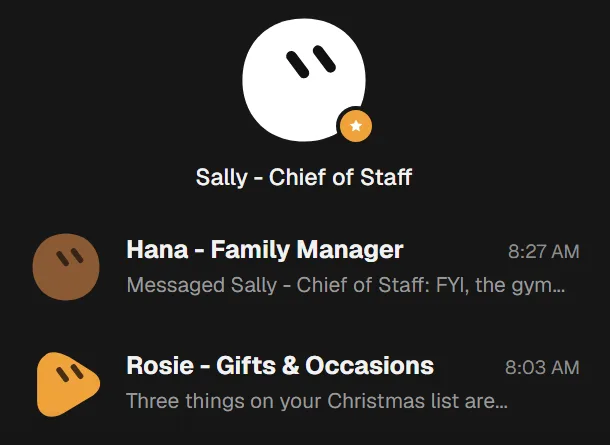
- You can put several bots in a group chat.
- A weekday routine can pass a request from bot to bot until the job is done.
- A Chief of Staff bot hands out work, sets up new helper bots and makes the judgement calls. Megan uses hers for life outside work.
Four example jobs
Real jobs from Megan's own setup. Each one started as a plain-English description, like the one in step 3.
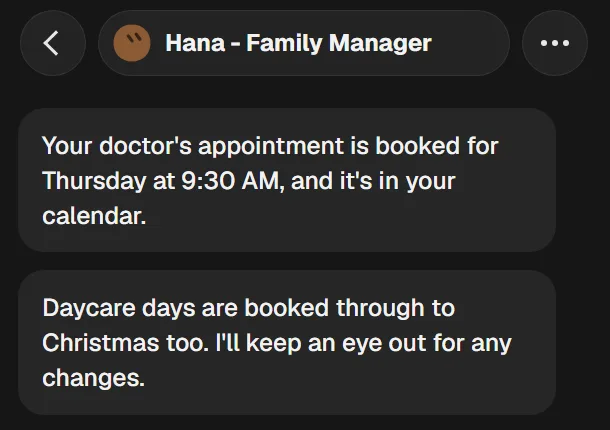
1. Family bookings
2. Gym classes that book out fast
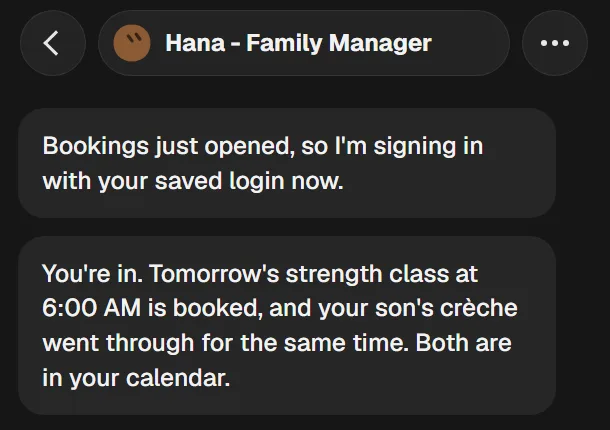
Strength classes open 24 hours ahead and fill up quickly. The bot signs in with the saved login the minute bookings open, then books the class and the gym crèche too.
3. Gifts and sales
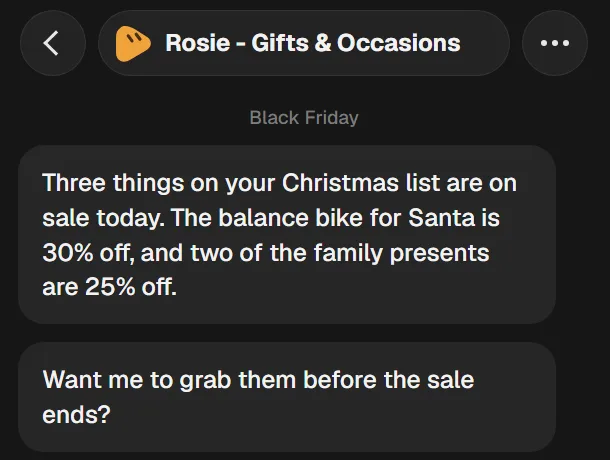
A Gifts bot watches the sales for the items on your list and asks before it buys anything.
4. Bookings, plus a polite ask
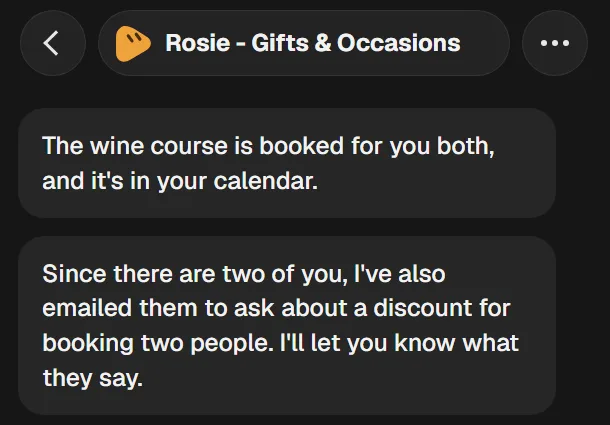
The same bot booked a wine course for two. Without being asked, it then emailed the provider to ask about a discount for two people. This is the proactive part: it did something helpful nobody asked for. Decide in your rules whether you're happy for a bot to email on your behalf.
Keep in mind
Three habits worth keeping
Start small, then widen
One bot, one job, strict rules. Add more once you've watched it do the job well a few times.
Keep other people's details out
Think twice before a bot sees client, staff or family information. If it isn't yours to share, don't connect it. Privacy laws such as the Australian Privacy Act and GDPR apply to personal data. This guide isn't legal advice.
Check what it did
Bots can get things wrong and still sound sure. Check bookings, prices and anything sent in your name.
Check for yourself
Sources
Grok Bot is new, so check the official pages before you connect anything. Everything in this guide was checked in November 2026.
Want AI working across your business, not just your chats?
Setting up a tool is the easy part. Knowing what to hand it is where the time comes back. On a free 30-minute call, Megan will:
- name your biggest time leak
- give you an honest answer on whether working with Clockwise is the right fit
Google Meet, 30 minutes, no cost. Rather write first? Start a conversation.

About the author
Megan Hogan is the founder of Clockwise and works inside small to medium businesses on AI and operations. She spent seven years at Optus and has led customer experience transformation and AI-enabled contact centre implementation.